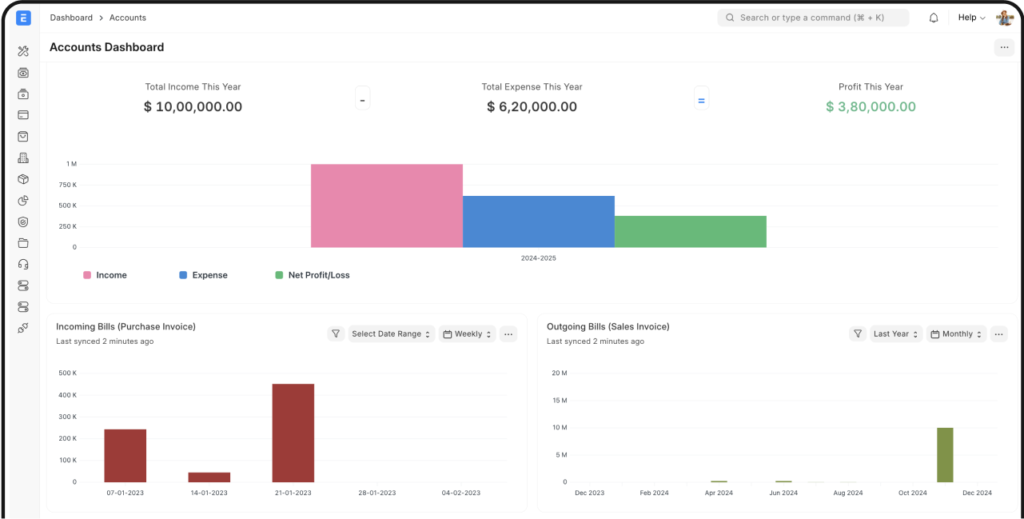
There is something worth appreciating about a founder who makes the product available for others to inspect, improve and build businesses around. Especially when that product runs the accounts, stock and operations of a company.
Rushabh Mehta, founder of Frappe, began building the framework and ERP for his family business in 2005, according to his own account. The part that deserves recognition today is the choice to keep ERPNext open source while building a business around the ecosystem. That leaves room for users, developers, implementers and learners to create value, too.
For a small business, that is more than a software philosophy. It means the conversation can move from “Which edition unlocks this?” to “How should our business use and improve this?” For a finance professional learning systems, it means there is a real product to explore beyond a sales demonstration.
That is why ERPNext deserves more attention on SME ERP shortlists. Not because it wins every comparison, but because its combination of financial operations, extensibility and openness is particularly interesting as businesses work out what to do with AI.
This is Part 1 of our ERPNext series: why the platform is worth a serious look, what it can do and what you would actually pay to run it.
Open source should mean something you can check


ERPNext’s public repository carries the GNU GPL v3 licence. Its source code is available to inspect and adapt, subject to that licence. Frappe also states that ERPNext has no enterprise-only feature paywall. You can self-host the software, use managed hosting or work with an implementation provider. Paying for hosting and expertise is compatible with an open-source product.
That choice has a useful community effect: an independent developer can study the system, a local implementer can build a service around it and a business can retain options about who maintains its installation. Openness reduces a particular kind of dependency. It does not remove the work of maintaining a system or make every customisation portable without effort.
Frappe’s explanation of ERPNext’s software and service model.
A fair comparison with Odoo
It would be inaccurate to say that Odoo is not open source at all. Odoo Community is open source under LGPL v3. Odoo Enterprise uses a separate proprietary licence and requires a valid subscription for the relevant users. That is an open-core model with different rights and features across editions.
ERPNext’s attraction here is a fully open-source ERP product without that Community-versus-Enterprise feature split. That distinction is worth understanding before comparing prices. It does not make Odoo a poor product; it makes the licensing and commercial choices different. Ask what is included, what you may modify and what happens if you change providers.
Odoo Enterprise agreement and licence.
What ERPNext brings together
Think of it as an operational backbone rather than just an accounting package. Its core modules cover:
- Accounting: financial records, invoices, payments, receivables, payables, budgets and reporting.
- Buying and selling: purchasing, quotations, sales orders and related transactions.
- Inventory: items, warehouses, stock movements, and serial or batch tracking where needed.
- Manufacturing: bills of materials, production planning, work orders and job cards.
- Projects: tasks, time, costs and connections to commercial transactions.
- Other operations: assets, CRM, point of sale, quality and support processes.
The practical advantage is the connection between them. A finance team can investigate a cost through its purchasing or project context instead of rebuilding the story from separate tools. HR and payroll requirements should also be assessed against the separate Frappe HR application and the relevant country setup, rather than assuming that every capability is in the ERPNext installation by default.
Official ERPNext module overview.
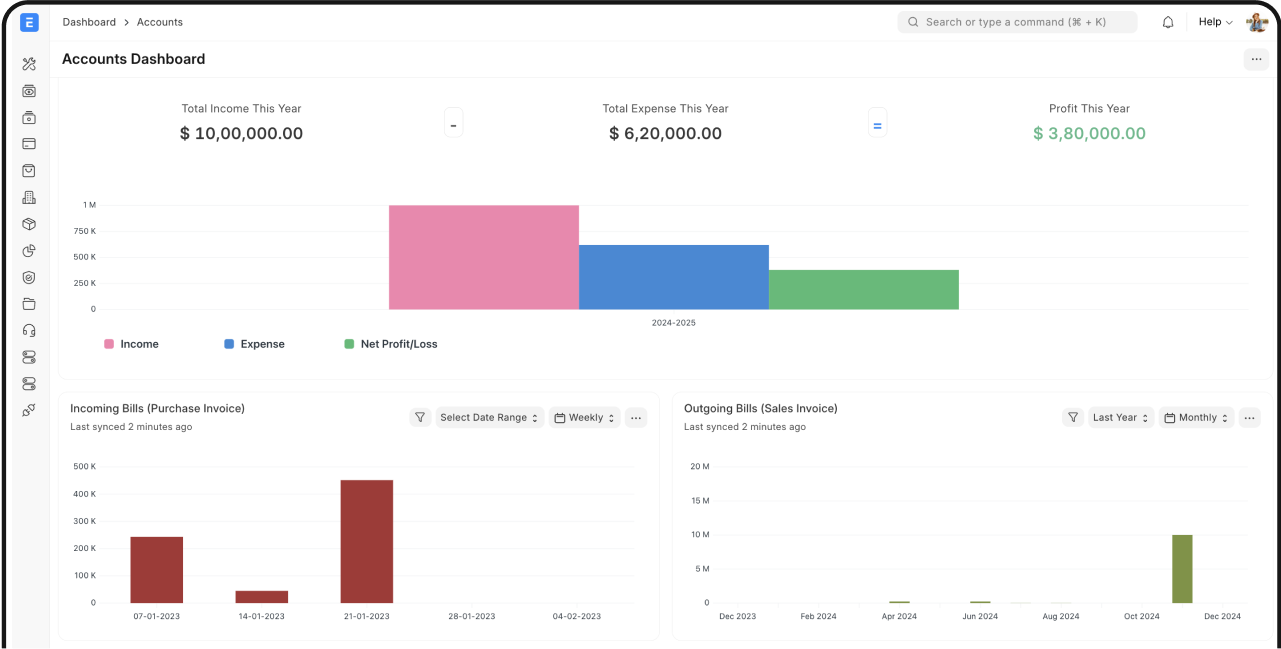
The Projects module deserves its own conversation
A project can look busy and still lose money. That is why a task board on its own is rarely enough for a finance team.
ERPNext can connect projects and tasks with timesheets, expenses, purchases and sales. It supports project templates, assigned owners, timelines, Gantt and Kanban views, and project-level costing. Those connections help a business compare delivery progress with its financial position.
Consider a small implementation consultancy. The project manager wants to know what is late. The finance manager wants to know whether the work is billable, whether the invoice has been raised and whether the job is still within budget. A connected project record gives them a shared starting point.
Our suggested dashboard would show planned versus recorded hours, committed purchases, billed revenue, unbilled effort and overdue tasks. It is an example to configure and test, not a claim that a single standard screen delivers every measure automatically. Time entries and transaction coding still need to be accurate.
ERPNext project-management capabilities.
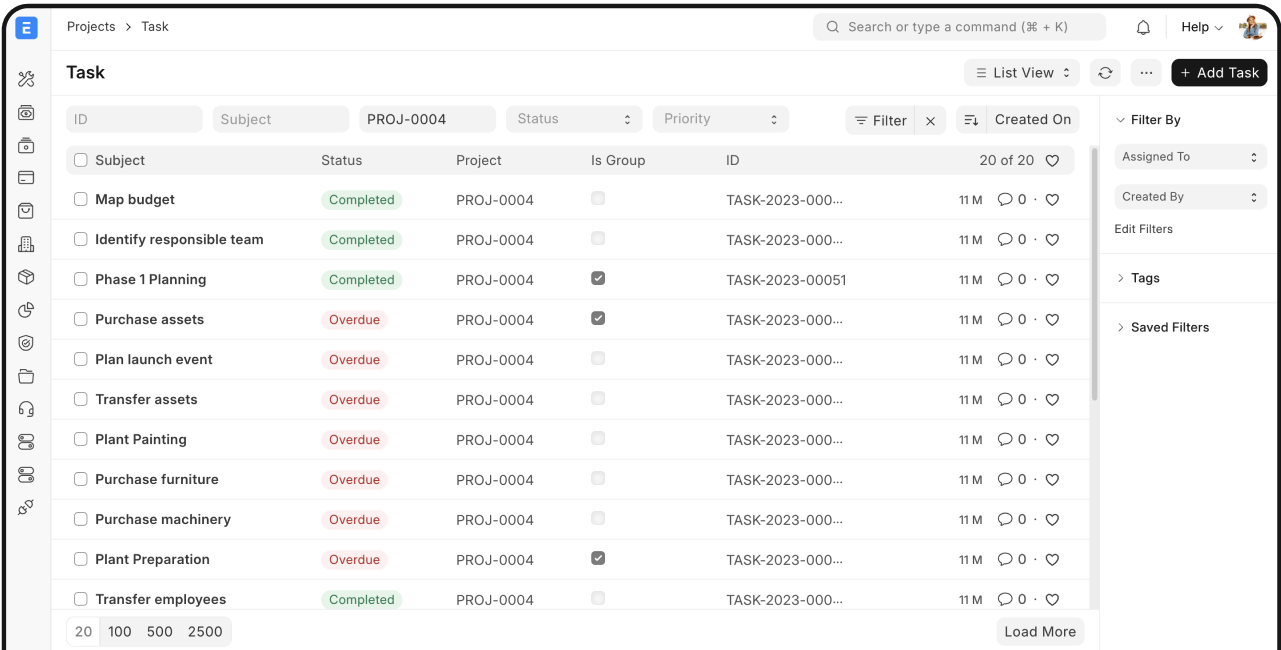
Why this is a useful foundation for the AI era
AI becomes more useful when it can work with structured records and defined actions. An ERP that your team can connect to and extend gives you options beyond copying a report into a chatbot.
Frappe, the framework beneath ERPNext, documents APIs for reading, creating and updating resources and calling permitted methods. Integrations operate with authentication and the permissions of the relevant user. This provides a foundation for connected workflows; it does not make an AI agent an authorised accountant.
Here are practical directions a business could build and test:
- A management dashboard: retrieve approved accounting and operational data through APIs, calculate agreed KPIs and present them in a custom web dashboard or reporting tool. Keep a visible link back to the ERP records.
- Invoice intake: extract fields from an approved invoice source, validate totals and supplier mapping, then prepare a draft Purchase Invoice. Let the accounting workflow handle review and submission.
- A project-margin briefing: combine project costs, recorded time and billing status, then ask AI to draft an explanation of exceptions for the project owner.
- Connected notifications: route a stock shortage, overdue review or completed approval to an agreed communication channel, without re-entering the same information.
- A focused extension: build an additional Frappe app for a genuine business requirement, or evaluate a compatible marketplace app, rather than changing the ERP core for every request.
Tools such as n8n or Make can coordinate external steps where their connectors or HTTP requests meet the requirement. The work still includes field mapping, API permissions, duplicate handling and testing. Automatic posting is technically possible through a properly authorised design, but a good first deployment creates reviewable drafts and keeps approval authority explicit.
Frappe REST API documentation.
Customisation goes beyond adding a logo
Frappe supports custom fields, forms, reports, dashboards and approval workflows. Client scripts, server-side logic and custom apps offer further options when a requirement needs development. Availability depends on the deployment and hosting permissions, particularly for server scripts and custom apps.
That can be useful for an SME with a real operational difference: a job reference that must flow into every invoice, a multi-stage approval, or an additional service-delivery record linked to a project. Start with configuration. Use a custom app when the requirement justifies code, and plan for upgrades rather than treating customisation as a one-off exercise.
Frappe’s configuration and extension capabilities.
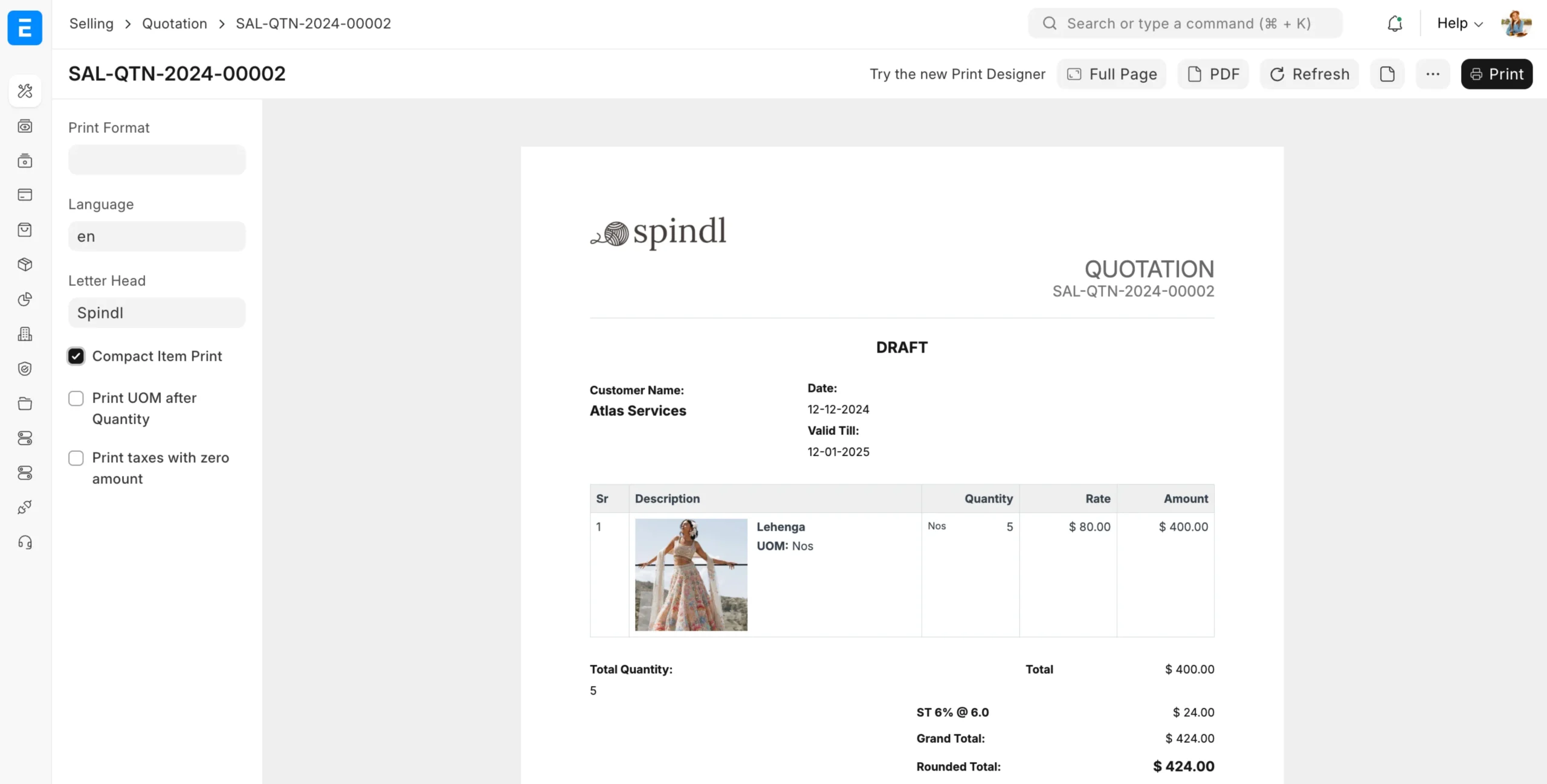
Print formats: a small feature with a big everyday effect
Quotations, invoices, purchase orders and delivery documents are part of how customers experience a business. ERPNext lets teams adjust print layouts with its builder, while custom formats can use HTML, CSS and Jinja templating for more specific requirements.
Think of clear payment terms, a project reference, the right letterhead and a layout that makes the important information easy to find. A nicer PDF does not by itself establish tax or e-invoicing compliance, but it can remove a surprising amount of everyday friction.
ERPNext Print Format documentation.
What does Frappe Cloud cost?
The software licence and the cost of running the system are different. Frappe Cloud uses resource-based pricing rather than a per-user software charge. The published shared-site tiers checked on 24 October 2026 are:
| Monthly USD | CPU time/day | Database | Storage |
|---|---|---|---|
| $5 | 0.5 hours | 0.2 GB | 2.5 GB |
| $10 | 1 hour | 0.5 GB | 5 GB |
| $25 | 2 hours | 1 GB | 25 GB |
| $38 | 3 hours | 1.5 GB | 37.5 GB |
| $50 | 4 hours | 2 GB | 50 GB |
Shared bench groups start at $5/month. Private bench groups, which offer deeper deployment controls such as custom apps and SSH access, start at $25/month. There is no fixed user-count limit, but resource limits still constrain the workload. Verify the current plan, region, support terms and any applicable taxes before subscribing.
Current Frappe Cloud shared-hosting plans.
A $5 entry point is useful for understanding the model. It is not an implementation quote or a promise that your production workload will fit. Budget separately for requirements work, migration, configuration, training, integrations, custom development and ongoing functional support. A well-run ERP project should account for the people and process work as well as the server.
Who should put it on the shortlist?
ERPNext is worth evaluating if you want connected finance and operations, value access to the source code and are willing to invest in a sensible implementation. It is especially interesting for a growing business that is outgrowing disconnected spreadsheets and wants room to extend its processes.
It is a weaker fit if you expect any ERP to fix unclear processes by itself, or if your requirements depend on specialist functionality and local compliance that have not been demonstrated. Ask for a walkthrough using your own purchase-to-pay, order-to-cash and project scenarios. Test the details, not just the dashboard.
A good first step: bring one process, not a hundred requirements
Choose a small end-to-end example: quote to invoice, purchase order to supplier payment, or project hours to billing. Trace the records, approvals and reports. That exercise will tell you more than a feature checklist.
At Finaxil, our vision is to help businesses and finance professionals become AI ready. ERP selection, reporting and automation belong in the same conversation. Tell us which finance or operational process you want to improve, and we can discuss a practical scope for assessment, training or implementation support.
There is a lot to like about a product that lets its community build around it. Credit to Rushabh Mehta and the Frappe contributors for keeping that option open. The next step for a business is to turn the philosophy into a working process.
Coming in Part 2: a practical ERPNext automation design, from an incoming document to a reviewed accounting record. Follow the Finaxil briefing for future guides, or share this article with the business owner or accountant who is comparing ERPs.
Create share images for Instagram & WhatsApp Status
Choose a feed card or a full-height story/status image. Download it, then post it from your app. Add the article link as a story link where supported, or paste it into your caption or status text.